

%201.svg)
How to Add Third-Party Training Content to Your LMS
Adding third-party training content to an LMS can reduce the need to build every course internally, but the process is more than finding a title and uploading a file. Content format, licensing, learner records, accessibility, update behavior, and LMS compatibility all need to be verified before rollout.
Quick answer: Start by defining the training requirement and learner group. Then shortlist content, verify the course and provider, confirm the delivery method supported by the target LMS, test completion and reporting behavior, document the update workflow, and run a small pilot before broad assignment.
1. Identify the Content Gap Before You Browse
Separate organization-specific content from training that can reasonably be sourced externally. Internal systems, procedures, products, reporting channels, equipment, and company policies often need custom material. General professional skills, many common compliance topics, leadership content, and broad safety awareness may be suitable for licensed content, depending on the exact requirement.
For compliance topics, begin with the governing requirement rather than the course title. The mandatory compliance training requirements guide provides a framework for mapping the source, audience, timing, content, and evidence before selecting a course.
2. Evaluate the Marketplace and the Actual Course
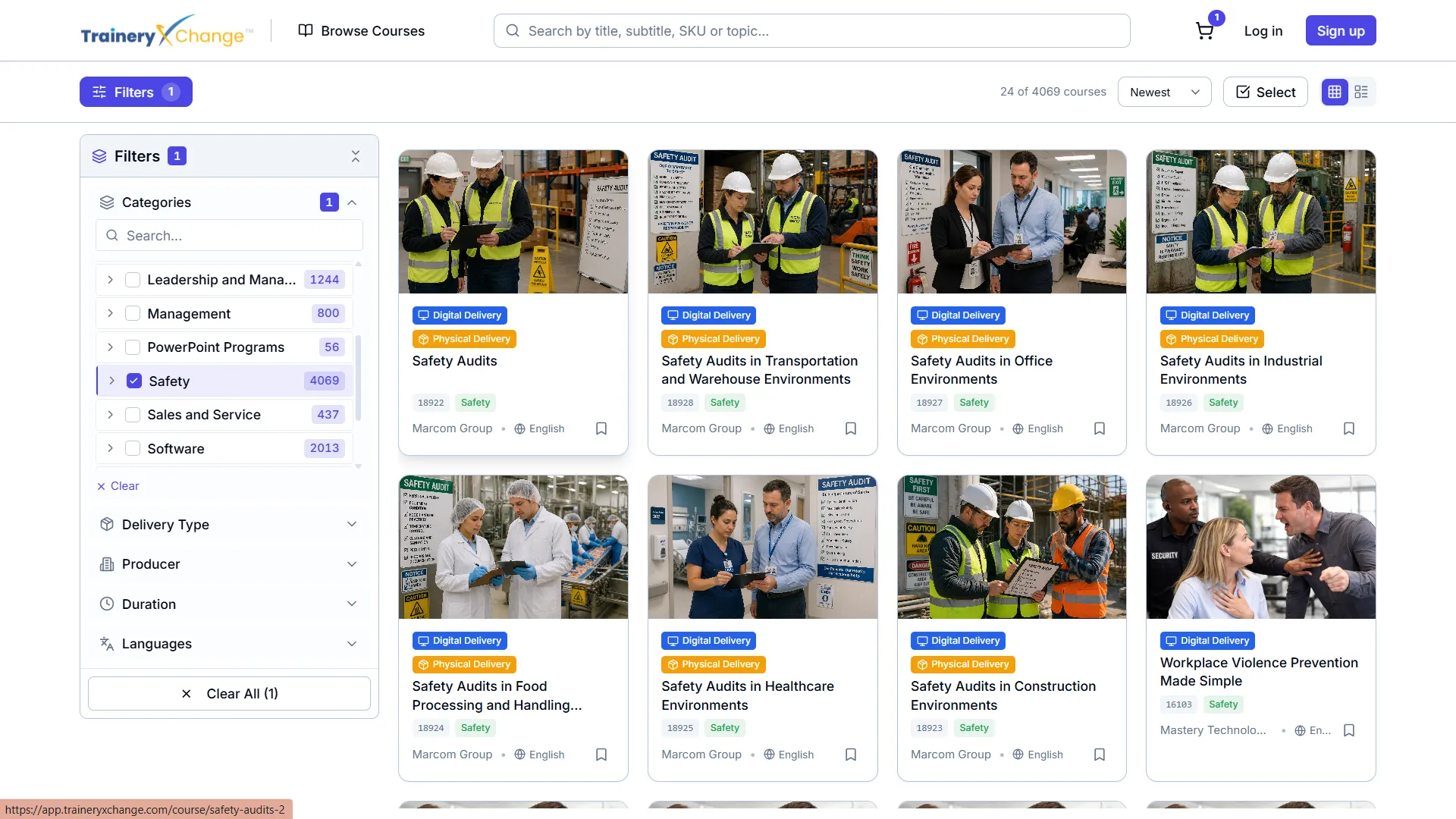
A marketplace can make it easier to compare content from multiple providers, but catalog size alone should not drive the decision. TraineryXchange provides access to more than 15,000 training content options, while course availability, publisher, language, format, accessibility, licensing, and delivery method vary by title and configuration.
For each shortlisted course, review:
- learning objectives and intended audience
- publisher or subject-matter source
- current version or review date where available
- duration and instructional format
- assessment or practical requirements
- language and accessibility options
- license scope and learner limits
- delivery formats available for the selected title
- completion, score, certificate, or record fields where relevant
Use the corporate training content marketplace to shortlist content, then verify the exact course before purchase.
3. Confirm the Delivery Method
Do not assume that every third-party course is available in every standard. SCORM, xAPI, AICC, LTI, hosted launch, and dispatched content represent different technical models.
| Method | Typical Use | What to Verify |
|---|---|---|
| SCORM package | Packaged course imported into an LMS | SCORM version, completion logic, score behavior, bookmarking, browser support, package updates |
| xAPI | Learning activity communicated to an LRS | LRS, statement design, identifiers, authentication, reporting, privacy, LMS relationship |
| AICC | Legacy launch and tracking workflows | Current support, security, browser behavior, migration risk |
| LTI | Connecting an LMS to an external learning tool or hosted experience | LTI version, supported services, identity, roles, data exchange, grade or completion behavior |
| Hosted or dispatched content | Provider hosts the master course while the LMS launches it | Availability, update process, reporting, versioning, entitlement, privacy, and customer actions |
For a deeper standards comparison, see SCORM vs. AICC vs. xAPI. For centrally hosted content, review the SCORM Dispatch versus native content guide.
4. Test Compatibility in the Target LMS
A standards label is not enough. Import or connect the actual selected content and test it in the LMS environment that learners will use.
Test at least the following:
- learner launch and authentication
- resume or bookmarking behavior
- normal completion
- failed assessment and retake behavior
- score and status reporting
- mobile and supported-browser behavior
- course close or interrupted-session behavior
- record export and administrator reporting
- access after course or license updates
If a SCORM course runs but does not record correctly, the SCORM incomplete troubleshooting guide explains how to inspect completion status, success status, exit behavior, score, and API communication.
5. Review the License and Update Workflow
Before purchase, document what the organization is licensing and what happens over time.
- How many learners may access the course?
- Is the license seat-based, completion-based, subscription-based, or another model?
- What happens to learner access if the license ends?
- Which completion records remain available?
- Who monitors course changes?
- How are customers notified when a new version is released?
- Does the LMS administrator need to replace, retest, or reassign anything?
- How are prior completions treated after an update?
Hosted or dispatched delivery can reduce manual package replacement in some configurations, but it should not be described as guaranteeing automatic legal currency or zero administrator work. See the compliance content update guide for a practical review process.
6. Configure Completion and Reporting Around the Requirement
Completion rules vary by course and LMS. Do not assume one passing score, deadline, reminder schedule, or certificate rule is appropriate for every program.
Define what the organization needs to retain and verify whether the selected content and LMS can produce it. Depending on the requirement, useful records may include learner identity, assignment, course title, course version, completion date, score or result, attempts, certificate, trainer or evaluator, and supporting evidence.
For regulated programs, a completion certificate documents a training event. It does not by itself prove that every legal, practical, or site-specific requirement has been satisfied. Review the compliance training evidence checklist when records support a compliance process.
7. Add Organization-Specific Material
Third-party content cannot know every employer's policies, reporting channels, systems, supervisors, equipment, hazards, or escalation procedures. Supplement generic content where the program requires local information.
Examples include:
- internal reporting and escalation contacts
- company policies and acknowledgments
- site-specific emergency procedures
- equipment or process instruction
- manager responsibilities
- practical demonstration or workplace evaluation
8. Choose the Right Delivery Path
If the organization already has an LMS, third-party content may be delivered through supported packages, integrations, or hosted models depending on the course and systems involved. If the organization needs a learning platform, TraineryLMS can be evaluated as the primary learning environment.
The LMS delivery options page compares TraineryLMS with supported existing-LMS delivery. For LTI-specific planning, see the Marketplace + LTI integration page.
Final Checklist Before Rollout
- The training requirement and learner population are documented.
- The selected course has been reviewed for fit.
- Current license terms are understood.
- The exact delivery format and version are confirmed.
- The course has been tested in the target LMS.
- Completion and reporting fields have been verified.
- Accessibility and language requirements have been checked.
- The content-update workflow and ownership are documented.
- Organization-specific material has been added where necessary.
- A small pilot has been completed before wider rollout.
Where TraineryXchange Fits
TraineryXchange can support content discovery, licensing, curation, TraineryLMS, and supported delivery into compatible learning environments. Exact course formats, integrations, update behavior, reporting, certificates, and administration depend on the selected content, publisher, license, LMS, and configuration.
Book a demo to review third-party training content and delivery requirements for your learning environment.



%5B1%5D.svg)
