
%201.svg)
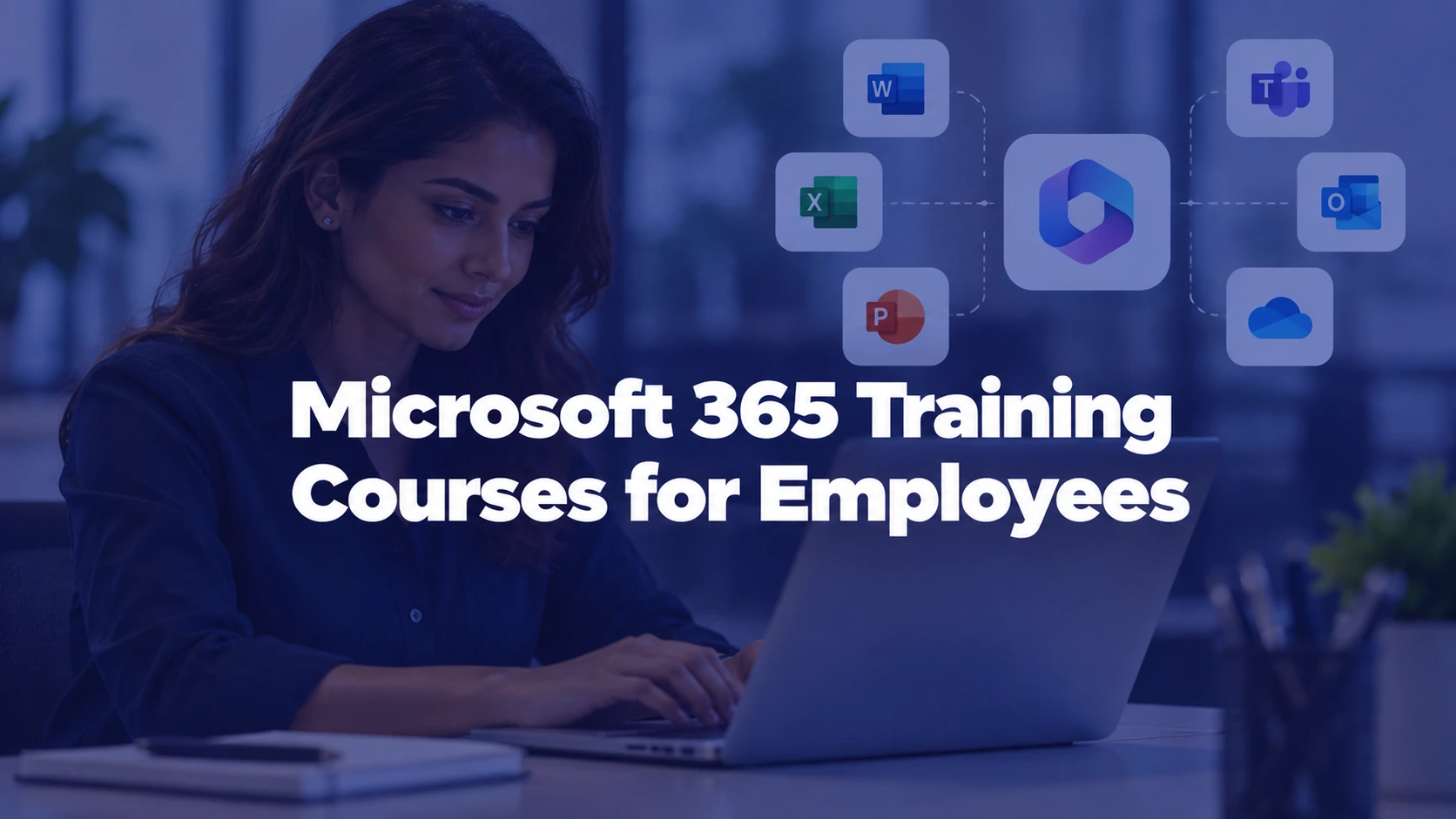
Microsoft 365 training courses for employees should teach people to complete the tasks their jobs actually require. A customer support representative needs different Outlook and Teams habits from a finance analyst learning Excel or a project coordinator managing SharePoint files. Buying the same beginner video bundle for all three may produce high completion rates without changing how work gets done.
This employer course-buying guide compares training for Microsoft Excel, Word, PowerPoint, Outlook, Teams, OneDrive, SharePoint and selected Copilot workflows. It includes an app-by-role skills matrix, free-versus-licensed content criteria, a 100-point supplier scorecard and hands-on assessments. For wider workplace capability development, our project management course comparison addresses project methods; this article focuses on proficiency with Microsoft 365 applications.
Which Microsoft 365 applications should employees learn first?
Begin with the organization's common work tasks. Microsoft offers Microsoft 365 basics training covering creating and saving files, sharing and collaborating, Teams, and working across locations. Its foundational user-training collection includes Teams, SharePoint, OneDrive and related services. That makes Microsoft material a useful starting point, but it does not determine which paid course, if any, your workforce needs.
Most office workers benefit from basic document management, email, secure file sharing and meeting etiquette. Others need specialized skills: Excel analysis, PowerPoint presentations, SharePoint document libraries or careful use of AI assistance. A needs analysis should focus on job outputs rather than the number of Microsoft applications included in a vendor's catalog.
Excel: analysis and repeatable reporting
Begin with tables, sorting, filtering, formulas and charts; add lookups, PivotTables and data validation for roles that actually need them. Microsoft's Excel help and learning provides accessible app-specific tutorials, while its PivotTable tutorial distinguishes supported platforms. Ask employees to explain their workbook decisions, not to identify ribbon buttons from memory.
Teams and Outlook: daily communication
Teach choosing the right channel, scheduling and joining meetings, managing messages, following up on action items, and locating shared content. Distinguish team chat from organization-approved records or external communication procedures. Different Teams and Outlook experiences may depend on the deployment, so ask vendors to demonstrate the actual current interface rather than archived screenshots.
Word and PowerPoint: quality and collaboration
For Word, prioritize consistent styles, accessible headings, comments, version changes and clean document handoff. For PowerPoint, teach layout clarity, accessible slide construction, speaker notes and safe reuse of organizational assets. Learners should produce or revise a practical work artifact rather than merely watch a feature demonstration.
OneDrive and SharePoint: files, permissions and ownership
File storage training should clarify personal working files versus team-managed content, authorized links, shared access and correct document locations. A common failure is using "anyone with the link" when internal access was intended. The employer needs to teach its real sharing settings and policies because configuration can differ between organizations. Microsoft's end-user training collection includes cloud-storage and collaboration topics.
Map Microsoft 365 course topics to roles and skill levels
An app-by-role map makes the course purchase defensible. Gather typical tasks, existing skill gaps and assigned software access, then group learners into foundation, application-specific and power-user paths. A training needs analysis and learner skills questionnaire can supply the inputs.
The following matrix is an illustrative purchasing plan. It is not a Microsoft-issued curriculum or certification framework.
| Employee group | Priority apps | Skill outcomes worth buying | Practical acceptance task |
|---|---|---|---|
| New hires and general staff | Outlook, Teams, OneDrive, Word | Email and calendar habits, meetings, safe file sharing, basic document editing | Organize a meeting and collaborate on one approved document |
| Finance and operations | Excel, Outlook, SharePoint | Reliable tables, formulas, data validation, version control and reporting | Clean a sample workbook and produce a repeatable summary |
| Sales and customer success | Outlook, Teams, PowerPoint, Excel | Client communication, presentations, simple pipeline reporting | Prepare a client meeting and accessible presentation using mock data |
| HR and people teams | Word, Excel, Teams, SharePoint | Templates, collaborative review, controlled file access, simple analysis | Prepare a policy document and share only with the approved audience |
| Managers and project coordinators | Teams, Outlook, SharePoint, PowerPoint | Meeting facilitation, follow-up, shared ownership and project updates | Run a project review with an action log and controlled files |
| Analysts and advanced users | Excel and other approved tools | Multi-step analysis, data validation and appropriate automation | Explain, audit and update a complex workbook with synthetic data |
These skills align with company workflows, not necessarily a specific Microsoft license tier. Employees may lack access to certain applications or advanced features. Check deployment with IT before assigning a class that requires an unavailable app. The role-based learning paths guide demonstrates how to separate a common foundation from specialist paths, and the manager training licensing guide covers build-versus-license decisions.
Free Microsoft training versus paid employee courses
Use Microsoft's own training when it covers the task and your organization can manage the learning process. Official Microsoft 365 video training, Microsoft Learn modules and adoption resources can help learners without purchasing a third-party course library. The question is whether those materials are enough for the employer's assignment, assessment and follow-up needs.
Choose free training first when Microsoft Support or Microsoft Learn covers the assigned work and an internal owner can organize practice and assess proficiency. Consider paid courses when learners need a structured sequence, supported languages, accessible alternatives, meaningful instructor feedback, verified completion exports, managed assignments or hands-on materials that the organization cannot supply. Test those features in the exact licensed product. For a fair comparison, give learners from each option the same synthetic workbook or collaboration task, use the same assessment rubric, and document whether the extra instruction solves a real gap. Avoid paying for material that simply repeats the free tutorial.
Compare a real published course pathway with free resources
For an external supplier example, LinkedIn Learning's Working Smarter with Microsoft 365 lists nine courses totaling approximately 20 hours, covering Excel, Word, PowerPoint, Outlook, Teams, OneDrive and SharePoint, among other topics, when reviewed in October 2026. Its listing warns of a scheduled November 2, 2026 learning-path update; that date is in the future, not a change already completed. Reviewers should verify current course versions and whether an in-progress learner's completion requirements could change. This is the supplier's published description, not an independent outcome assessment, endorsement, or evidence that the path is offered through TraineryXchange.
Use Microsoft's foundational video training as a no-cost baseline. Compare the assigned Excel, Teams or SharePoint exercise and ask whether the third-party path adds feedback, accessible delivery, reporting and managed learning assignments. Confirm the specific licensing terms for every option.
Microsoft also documents Microsoft 365 learning pathways, a customizable SharePoint-based training solution. Microsoft notes it became community-supported from December 2025, so buyers should not assume it carries the same Microsoft support arrangement as a paid product. If choosing a hosted training portal or curated marketplace content, compare maintenance responsibility, content update ownership and support carefully.
What about Microsoft Copilot training for employees?
AI-assisted drafting, summarization and analysis can support employee workflows, but they do not replace app proficiency or data governance. Microsoft now calls its licensed app-integrated experience Microsoft Copilot and its eligible-subscription chat experience Microsoft Copilot Chat. The official license-options guide distinguishes the experiences, and the updated Microsoft Copilot requirements explains identity, app and tenant prerequisites. Chat may be included with an eligible subscription, but licensed app features and organization-grounded experiences can require separate entitlements. Verify each learner's real access rather than assuming the whole bundle is included.
A course should require employees to validate AI-generated figures, citations and document summaries, follow approved data-handling rules, and understand when not to share sensitive information. This is distinct from our generative AI course comparison, which addresses broader AI literacy, and AI governance for learning programs, which covers organizational guardrails.
Do not advertise a standard Microsoft 365 course as including licensed Copilot features, agent capabilities or admin-only demonstrations without confirming access. Ask for separate beginner productivity and optional AI-assisted workflow units.
How to compare Microsoft 365 course providers
Use the following illustrative 100-point vendor scorecard as a consistent procurement framework. Score each category from zero to five using the exact course preview, then multiply the score by its weight divided by five. The rubric is an editorial tool, not an official Microsoft partner or quality rating.
| Course evaluation area | Weight | Evidence to request | Reason to reconsider |
|---|---|---|---|
| Application and role coverage | 25 points | Actual lessons for relevant apps, audience, proficiency and job tasks | One generic beginner playlist labeled for all roles |
| Hands-on learning | 20 points | Exercises, sample files, answer criteria and learner feedback | Feature videos with no task demonstration |
| Current interface and versions | 15 points | Content revision date, app platform, screenshots and update owner | Deprecated interfaces or unsupported features |
| Skill assessment and evidence | 15 points | Pre-checks, scored work sample, completion export and reporting | Only a video-watched certificate |
| Access and inclusion | 10 points | Available languages, captions, accessibility and device support | Unverified mobile or screen-reader compatibility |
| Delivery and administration | 10 points | Verified LMS or hosted format, seat controls, support model | Compatibility claimed without specifications |
| Commercial terms | 5 points | Current price quote, subscription duration, updates and license rights | Unclear seat/site restrictions or renewal terms |
Compare the exact delivery format, not a generic course trailer: will employees follow a Windows desktop, Mac or browser workflow, and is the demonstration available in their tenant? Require a sample exercise, answer rubric, source file, completion export and last meaningful content-update date. Treat unsupported claims of SCORM/LTI compatibility, Microsoft credential eligibility or Copilot licensing as approval blockers. Our training content QA guide and publisher-update checklist cover additional vendor checks.
Use four task-based acceptance tests
- Excel test: Give a learner a synthetic workbook with inconsistent categories. Ask them to clean the table, calculate an accurate summary and explain a formula or PivotTable where appropriate for their level.
- Outlook and Teams test: Ask a new employee to set up a meeting, use an appropriate communication channel, share an agenda and record a follow-up action.
- Word or PowerPoint test: Request an accessible one-page report or short slide deck with consistent formatting and collaborative review.
- OneDrive or SharePoint test: Ask a project coordinator to choose the approved file location and an appropriate sharing audience, demonstrating how unintended access is avoided.
Apply an illustrative acceptance rubric to each work sample: does the employee finish the assigned job task accurately, use the approved collaboration or sharing settings, explain important steps, and correct an error after feedback? Score each dimension consistently, note incomplete tasks, and compare results to a baseline rather than assuming attendance proves improvement. Use synthetic records only. These exercises are not Microsoft examinations. Hold or reject a course if the actual licensed lesson cannot demonstrate the assigned application, uses materially outdated screens, lacks usable practice or evidence exports where required, or makes unsupported Microsoft credential or feature-entitlement claims.
Explore Microsoft 365 learning content by job role
Review corporate training categories and verify the current Excel, Teams, Word, PowerPoint and collaboration courses suited to your workforce.
Are completion certificates the same as Microsoft certification?
No. A training provider's completion record is different from an official Microsoft credential. Microsoft's Office Specialist: Associate (Microsoft 365 Apps) currently requires passing three qualifying exams in different programs, with at least one Microsoft 365 Apps exam. The published options include MO-110 Word, MO-210 Excel and MO-310 PowerPoint, alongside certain Office 2019 exams. A vendor's video completion, quiz or branded badge alone cannot award this credential.
When a formal credential matters, distinguish exam preparation from examination registration. Ask whether any exam voucher is actually included, which tests and versions the instruction prepares for, who runs the exams and whether the learner needs a Microsoft account. Microsoft lists separate MO-110 Word exam objectives as a useful illustration. For job proficiency, a scored workbook or accessible document may matter more than an exam.
How to roll out Microsoft 365 skills training across teams
A simple four-week pilot can test demand before purchasing thousands of seats. This is an illustrative implementation plan, not a proven productivity intervention or a fixed training duration.
- Week 1: Define job outcomes. Select two or three role groups, list recurring application tasks, confirm available Microsoft licenses and sample baseline skill gaps.
- Week 2: Check the content. Pilot the exact courses with representative learners across devices. Verify app relevance, available languages, lesson version, accessibility and assessment rules.
- Week 3: Practice real workflows. Assign one useful deliverable per role, such as a controlled project file, workbook summary or client presentation. Use anonymized or synthetic inputs.
- Week 4: Compare results. Review completion, task success, learner feedback, IT support pain points and course licensing. Fix gaps before wider rollout.
Microsoft's service adoption framework addresses stakeholder alignment, experiments, champions, training and broader scaling. Its Adoption Score and usage reports offer some product-activity signals where supported, but activity is not the same as task proficiency or verified productivity gains. Use a separate work-sample rubric and safeguard employee privacy.
For broader learning analytics, see training reporting measures and training ROI methods. Teams using multiple course suppliers can consult our vendor consolidation guide. Avoid predicting financial results from course completion data alone.
What content should the employer add to a purchased course?
Off-the-shelf instruction cannot describe every organization's sharing permissions, brand templates, document retention policies or approval routes. Give learners the current Teams and SharePoint conventions, document naming rules, approved file-sharing settings, templates and IT support contacts. Worksite examples can show what "good" means for a particular role.
Use training platform trial checks to verify completion tracking and access before buying a library. For employees with limited workstation access, review deskless and shift-based delivery. Do not assume that an advertised SCORM package, LTI integration or completion sync works with the employer's current LMS without a live demonstration and written specifications.
How to source Microsoft 365 courses through TraineryXchange
Use the TraineryXchange course category directory and content marketplace to start the search. Ask for the current Excel, Teams, Outlook, Word, PowerPoint, OneDrive and SharePoint course listings, publisher names, app-version coverage, learner prerequisites, exercise format, accessibility, supported languages and exact license terms.
For group purchases, corporate training content licensing and buyer resources can frame the commercial discussion. The content curation option may help organize beginner, intermediate and advanced pathways. Current stock, pricing, technical delivery and assessments must be confirmed against each actual course record and supplier agreement; a marketplace category is not proof that a named Microsoft course is currently available.
Companies selecting new learning infrastructure can also compare marketplace friction and learning administration issues, but this article concerns course content selection, not choosing or deploying Microsoft 365 itself.
What to include in a Microsoft 365 training quote request
Specify the job groups, employee and site counts, target applications, skill levels, platforms (desktop, web or mobile), permitted Microsoft features and learner languages. Ask for exact course titles, publisher, version date, hands-on exercise preview, assessment evidence, accessibility, reporting and documented license or renewal terms.
Illustrative request: "We need Microsoft 365 training for general employees and separate intermediate Excel, Teams collaboration, Outlook and PowerPoint learning units. Please show currently available courses with practical activities, version coverage, accessible languages, completion exports and the terms for 300 staff across several locations. State whether Copilot lessons need additional feature licensing and distinguish ordinary completion certificates from Microsoft Office Specialist exam preparation. Our IT team will provide the local permission and file-sharing procedures."
This is an example buyer brief, not a verified customer enquiry or a promise of current inventory. Use the TraineryXchange quote request after confirming the skills and applications your employees require.
Build a practical Microsoft 365 training shortlist
Compare role-specific courses, learning formats and licensing with your actual workforce and available Microsoft environment in mind.
Primary sources and editorial verification
- Microsoft Support. Microsoft 365 basics video training. Official end-user foundations and collaboration guidance.
- Microsoft Adoption. Foundational user training. Microsoft applications, Teams, OneDrive and SharePoint learning resources.
- Microsoft Learn. Training: Courses, Learning Paths, Modules. Public self-directed and instructor-led learning catalog.
- Microsoft Learn. Microsoft 365 learning pathways. Customizable training portal and the December 2025 community-support transition.
- Microsoft Learn. Use the Microsoft service adoption framework to drive adoption in your enterprise. Stakeholder, pilot, champion and rollout planning.
- Microsoft Learn. Microsoft Office Specialist: Associate (Microsoft 365 Apps) and Exam MO-110: Word (Microsoft 365 Apps). Current exam requirements and preparation objectives.
- Microsoft Support. Excel Help & Learning and Create a PivotTable to analyze worksheet data. App-specific learning for different platforms.
- LinkedIn Learning, provider-published listing, consulted October 2026. Working Smarter with Microsoft 365. External learning-path example and upcoming content update notice; not a verified TraineryXchange listing.
- Microsoft Learn, August 2026. License Options for Microsoft Copilot and Microsoft Copilot requirements. Product naming and eligibility for chat, app and work-grounded experiences.
- Microsoft Learn, 2026. Microsoft Adoption Score and Active users in Microsoft 365 usage reports. Product adoption reporting context.
Research method and review status: This guide compares publicly accessible Microsoft Support, Microsoft Learn, Adoption, Copilot licensing and Office Specialist documentation. LinkedIn Learning's published nine-course path was reviewed in October 2026 solely to illustrate a third-party option; its announced November 2026 update is prospective, and the listing is not a quality endorsement or a TraineryXchange inventory claim. The role matrix, weighted scorecard, sample task rubrics and four-week pilot are illustrative procurement tools, not verified customer results or proven productivity gains. Individual TraineryXchange course availability, publisher terms, LMS formats, licensing fees and technical compatibility remain unconfirmed. Mahesh Kumar is the credited editorial author, not a claimed Microsoft Certified Trainer. A qualified workplace IT or Microsoft 365 learning owner should check software entitlements, training currency, platform access and practical assessment accuracy before production approval.




%5B1%5D.svg)
